24/7 emergency data recovery Free diagnosis · No recovery, no charge Free doorstep pickup
Chat on WhatsApp →
Data recovery in Bengaluru · ISO certified · Since 2003

Lost data?
We bring it back.

Bengaluru's trusted data recovery lab for failed hard drives, SSDs, MacBooks, RAID servers and phones — with a Class 100 cleanroom and on-site service for companies. Free diagnosis in 48 hours — and you pay nothing unless we recover your data.

4.9/5 from 12,400+ customers NDA-backed confidentiality On-site recovery for companies →
25M+Successful recoveries
99%Recovery success rate
22+Years of excellence
50+Countries served
We recover data from every major brand

Including Apple, Seagate, Western Digital, Samsung, Toshiba, Crucial, SanDisk, Kingston, Dell, HP, Lenovo, Synology, QNAP and LaCie.

Our expertise

Every kind of storage.
Every kind of failure.

From a single memory card to enterprise storage arrays — engineers who've seen it all handle your device with care.

Specialist service

MacBook & iMac data recovery

Dead, liquid-damaged or won't-boot Macs — including T2 and Apple silicon (M1–M4) models with soldered, encrypted SSDs. We repair the logic board to get your data back.

  • MacBook Air, MacBook Pro, iMac, Mac mini
  • Liquid spill & no-power logic boards
  • APFS / HFS+ corruption, deleted files
Explore MacBook recovery

Hard drive recovery

Crashed, clicking, formatted or physically damaged HDDs.

  • Head & motor failure
  • Bad sectors, firmware faults
  • 4 TB – 10 TB, incl. HGST
Explore hard drive recovery

SSD & NVMe

Chip-level recovery for failed and encrypted solid-state storage.

  • Controller & firmware failure
  • SATA, M.2 and NVMe drives
Start a case

RAID & server

RAID 0/1/5/6/10, NAS, SAN and virtual servers.

  • Multiple failed disks
  • VMware, Hyper-V, databases
Start a case

Laptop & desktop

Documents, photos and business data from any Windows PC.

  • Won't boot, blue screen
  • Ransomware-hit systems
Start a case

SD card & USB

Memory cards, pen drives and camera media.

  • RAW / unformatted cards
  • Broken or bent connectors
Start a case

Mobile & tablet

Contacts, chats and media from iPhone and Android.

  • Dead or water-damaged phones
  • Broken screens
Explore phone recovery
New service CCTV, DVR & NVR footage recovery Deleted, overwritten or formatted CCTV recordings, dead DVRs and failed NVR drives — Hikvision, Dahua, CP Plus and more. Footage delivered as playable video with a report for police or insurance. Explore CCTV recovery New service Ransomware attack file restoration Files encrypted by LockBit, Phobos, Makop, STOP/Djvu or another strain? We restore data from deleted originals, shadow copies, partly encrypted files and backups — without paying the attackers. Explore ransomware recovery
4 TB – 10 TB hard drive recovery

Large-capacity drives.
Recovered with care.

High-capacity 4 TB, 6 TB, 8 TB and 10 TB hard drives hold years of data. We recover data from HGST, Western Digital, Seagate and Toshiba drives used in desktops, NAS boxes, servers and RAID arrays.

4 TB6 TB8 TB10 TBHGST Ultrastar & DeskstarDesktop, NAS & server drives

Common HGST 8 TB hard disk problems

Clicking or knocking sound

Usually points to damaged read/write heads or trouble reading the platters. Switch the drive off to avoid further damage.

Drive not detected

Can be caused by a PCB fault, a firmware issue, a power problem or an internal failure.

Firmware problem

The drive spins up but shows the wrong name or capacity, or your data can't be accessed.

Bad sectors or slow reading

Damaged sectors or weakening read heads can stop the drive from reading data reliably.

Accidental format or deleted files

Logical recovery is often possible if the data hasn't been overwritten, so stop using the drive straight away.

RAID or NAS failure

Data may need to be rebuilt from several drives while preserving the original RAID configuration.

Is your 4 TB–10 TB drive showing one of these symptoms? Diagnosis is free, and you'll get a confirmed quote before any work starts.

MacBook data recovery

Your Mac won't start.
Your files still can.

Modern Macs store data on SSD chips soldered to the logic board and encrypted by Apple's security chip. You can't just pull the drive out — so our engineers repair the board itself, bring your original Mac back to life, and copy your data to a new drive.

MacBook AirMacBook ProiMacMac miniMac StudioIntel MacsT2 security chipApple M1 · M2 · M3 · M4

Liquid spill

Coffee, water or juice on the keyboard — corrosion stopped before it spreads.

No power / won't boot

Dead logic boards, shorted rails, failed charging circuits.

Stuck on Apple logo

Boot loops, kernel panics, failed macOS updates and prohibitory signs.

Deleted or formatted

Emptied Trash, erased volumes, APFS and HFS+ container corruption.

Time Machine failures

Unreadable backup drives, sparsebundles and network backups.

Fusion & older Macs

iMac Fusion Drives, removable Apple SSD blades and older Intel models.

Dropped or cracked

Physical impact, bent chassis and broken display assemblies.

FileVault Macs

Encrypted volumes recovered with your password — never by bypassing Apple security.

How MacBook recovery works

  1. Free board-level diagnosisWe inspect the logic board under a microscope, find the failed components and confirm what's recoverable.
  2. Repair to extractCorroded or shorted parts are replaced so your original Mac can power on — the only way to read a soldered, encrypted SSD.
  3. Secure copyWith your login password, your files are copied to a new encrypted drive and verified before you pay.

Before you bring your Mac in

  • Don't keep switching on a liquid-damaged Mac — each attempt can short the board.
  • Don't reinstall macOS or erase the disk in Recovery mode.
  • Don't run Disk Utility First Aid again and again on a failing drive.
  • Note your Mac login / FileVault password — it's needed to unlock the data.
  • Tell us your model (Apple menu → About This Mac, or the serial on the base).
Send photos on WhatsApp
Why Data Doctor Hub

Handled with care,
from day one.

A recovery lab built around one idea: your data is irreplaceable, so the process should be safe, transparent and fair.

Class 100 cleanroom

Hard drives are opened only in a dust-controlled cleanroom, protecting the platters during head and motor repairs.

NDA-backed confidentiality

Your data stays inside our secure facility, is never transferred unencrypted, and is released only after an OTP sent to your registered mobile number is verified.

No recovery, no charge

Free diagnosis, a confirmed quote before work starts, and you pay only for data you approve.

See your files first

Review the list of recovered files before paying, so you know exactly what you're getting.

Free doorstep pickup

Secure pickup and return across our service locations — or visit our Bangalore lab.

Talk to real engineers

Call or WhatsApp the people working on your device — with 24/7 emergency support.

For companies & organisations only

On-site data recovery, at your premises.

When data can't leave your building — or your servers can't wait for a courier — our engineers come to your office, server room or data centre in Bengaluru and recover it on site. Built for businesses with compliance, confidentiality and uptime on the line.

Data never leaves your site NDA signed before the visit RAID, NAS, SAN & virtual servers Written recovery report
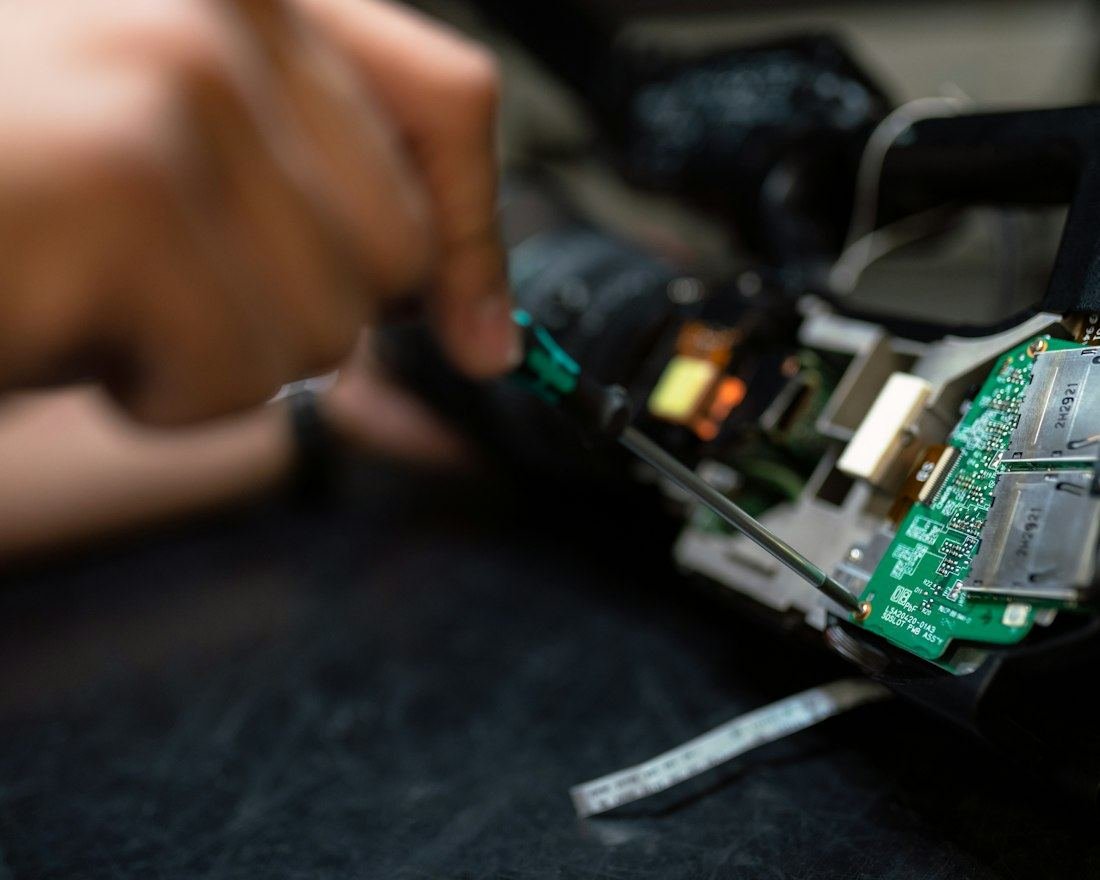
Data recovery engineer working on storage hardware at a client site
Engineer on siteRecovery performed in front of your IT team — nothing is taken away without your approval.
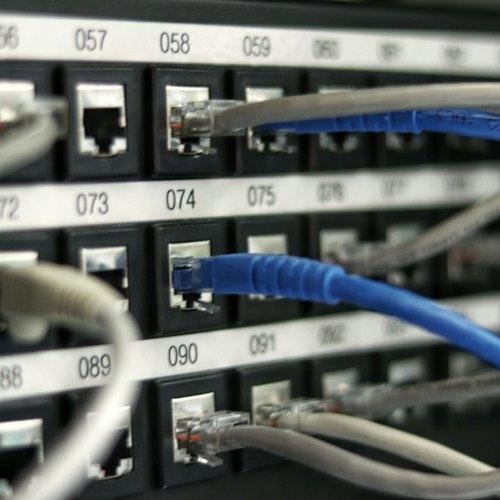
Network patch panel in a company server room
Business down?Critical requests are prioritised

Data stays on your premises

For banks, hospitals, law firms and anyone whose data policy forbids sending drives to an outside lab.

Less downtime

No shipping or courier delays. We diagnose and start recovery where the system already sits.

Compliance-ready

NDA before the visit, chain-of-custody log for every drive, and a written report for your auditors.

Enterprise environments

RAID 0/1/5/6/10, NAS and SAN arrays, VMware and Hyper-V hosts, SQL and other database servers.

Built for teams in Banking & financeHospitals & clinicsLegal & CA firmsIT & softwareManufacturingEducationRetail & e-commerceGovernment & PSUs

Request & call-back

Send the form below. A senior engineer calls you to understand the failure.

NDA & scoping

We sign your NDA, confirm the systems involved, the visit date and charges.

Engineer visit

Diagnosis and imaging at your site, working alongside your IT team.

Recover & report

Data is verified with you, handed over on site, and documented in a report.

Request on-site recovery for your company

This service is for registered businesses and organisations. We'll call back to confirm the scope, visit date and charges before anyone travels.

  • Call-back from a senior engineer, not a sales desk
  • Proper invoice for your accounts team
  • Your request number arrives instantly

Drives with physical damage (clicking, heads or motor failure) must be opened in a cleanroom. For those, we collect the drive from your site with a signed chain-of-custody record and return it with your data.

Individual customer? Book lab recovery instead →

Business on-site request

Takes about two minutes.

Companies only
Company
The problem

Your details are used only to plan this visit.

Request received

A senior engineer will call you shortly to confirm scope, visit date and charges.

—
Share on WhatsApp
Recovery intake

Start with a free diagnosis.

Tell us what happened. You'll get a case number instantly, and a recovery specialist will call you to plan the next step.

Request a recovery

Takes about a minute. No payment needed.

Free assessment

Your details are used only to assess and manage this recovery. No recovery, no charge.

Simple, transparent process

Four steps between
you and your data.

No surprises. You approve every decision, and you always know where your device is.

Free consultation

Speak to an engineer by phone or WhatsApp. We assess the symptoms and advise what to do.

Ship or drop off

Arrange secure doorstep pickup, or visit our Bangalore centre near SP Road.

Cleanroom diagnosis

Class 100 lab evaluation and a clear report of recoverable files and cost.

Recover & return

Approve the file list, then receive your data on a new, encrypted drive, handed over only after OTP verification on your registered number.

Turnaround options

Choose how fast you need it.

Every option includes a free diagnosis and our no-recovery, no-charge promise. Your quote is confirmed before any work starts.

Standard

Best value for most recoveries

5–7 days
  • Free diagnosis within 48 hours
  • Online case tracking
  • Recovered file list before payment
  • Business-hours support
Choose Standard
Most chosen

Priority

Moved to the front of the queue

2–3 days
  • Everything in Standard
  • Dedicated recovery engineer
  • WhatsApp progress updates
  • Priority doorstep pickup
Choose Priority

Emergency

When business can't wait

24 hours
  • Everything in Priority
  • Round-the-clock lab work
  • 24/7 direct engineer line
  • Ideal for servers & RAID
Choose Emergency

Pricing depends on the device, capacity and type of damage — you'll receive an exact quote after the free diagnosis. Actual timing depends on device condition.

Live case tracker

Know exactly where your recovery stands.

Enter the case number from your confirmation to see the current stage and the latest note from the lab.

Or ask for an update on WhatsApp

You'll find it in your recovery confirmation.

Your case progress will appear here.
At a glance

Data recovery in Bengaluru: quick answers

The essentials about Data Doctor Hub in one place.

What is Data Doctor Hub?

Data Doctor Hub is a data recovery company in Bengaluru, India, that recovers lost data from hard drives, SSDs, MacBooks, RAID servers, memory cards and phones, with a Class 100 cleanroom and a no-recovery, no-charge policy.

Where is it located?

Two locations in Bengaluru 560002: #31, Ground Floor, Luciya City Center, OTC Road, Bengaluru-560002; and Shop no #3, Building no 6, Electronic Plaza, 3rd Cross, P.R. Lane, SP Road, Bengaluru 560002.

How much does it cost?

Diagnosis is free. You get an exact quote after diagnosis, confirm it before work starts, and pay nothing if your data can't be recovered.

How long does recovery take?

Diagnosis within 48 hours. Standard recovery takes 5–7 days, priority 2–3 days and emergency 24 hours, depending on the device and damage.

Can it recover a dead MacBook?

Often, yes. For T2 and Apple silicon (M1–M4) Macs, engineers repair the logic board so the soldered, encrypted SSD can be read. Your Mac password is needed. MacBook recovery

Is on-site recovery available?

Yes, for companies and organisations only. Engineers recover RAID, NAS, SAN, virtual and database servers at your premises, under NDA. On-site service

Can deleted CCTV footage be recovered?

Usually, if recording is stopped quickly. Data Doctor Hub recovers footage from Hikvision, Dahua, CP Plus and other DVRs and NVRs, with camera numbers and timestamps. CCTV footage recovery

Can ransomware-encrypted files be restored?

Often, without paying the attackers — from deleted originals, shadow copies, partly encrypted files, backups and known decryptors. A free assessment shows what's recoverable. Ransomware file restoration

What should I do first after losing data?

Stop using the device: don't restart it repeatedly, format it, reinstall the system or run recovery software. Power it off and call +91 98458 63602 for advice.

Contact: +91 98458 63602 (call or WhatsApp) · Datadoctorhub@gmail.com · Mon–Sat 10am–8pm, 24/7 emergency support

Frequently asked questions

Clear answers before you book.

Everything about diagnosis, timing, MacBooks and how we care for your device.

Still have a question? Our engineers are a message away.

Ask on WhatsApp
Do you charge if my data cannot be recovered?

No. Data Doctor Hub offers a free diagnosis and a no-recovery, no-charge policy. A quote is confirmed before recovery work begins, and you pay only if the data you approve is recovered.

How long does data recovery take?

Diagnosis is provided within 48 hours. Typical options are standard recovery in 5–7 days, priority in 2–3 days, and emergency service in 24 hours. Timing depends on the device and damage.

Can you recover data from a MacBook that won't turn on?

Often, yes. On T2 and Apple silicon (M1–M4) Macs the SSD is soldered to the logic board and hardware-encrypted, so the storage can't simply be removed and read elsewhere. We repair the original logic board at component level so the Mac can start, then copy your data off. You'll need your Mac login or FileVault password.

My MacBook had a liquid spill. What should I do?

Switch it off, unplug the charger, and don't try to power it on again. Each attempt can spread corrosion or short components. Contact us on WhatsApp or call +91 98458 63602 — the sooner the board is cleaned, the better the chance of recovery.

Which devices can Data Doctor Hub recover data from?

Hard drives, SSDs and NVMe drives, MacBooks, iMacs and other Macs, RAID and server storage, Windows laptops and desktops, USB drives, SD cards, mobile phones and tablets.

Is my data kept confidential during recovery?

Data Doctor Hub describes its process as confidential and NDA-backed. Customer data stays within its secure facility and is not transferred unencrypted.

Can I contact you on WhatsApp?

Yes. Message +91 98458 63602 on WhatsApp to describe the problem, send photos of the device, or ask for an update on your case.

Do you offer device pickup?

Data Doctor Hub advertises free doorstep pickup across its service locations. Contact the recovery team to confirm pickup availability for your area.

Where are Data Doctor Hub's offices in Bengaluru?

Data Doctor Hub has two locations in Bengaluru 560002: #31, Ground Floor, Luciya City Center, OTC Road, Bengaluru-560002; and Building no 6, Shop no #3, Ground Floor, Electronic Plaza, 3rd Cross, P.R. Lane, SP Road, Bengaluru 560002. Call +91 98458 63602 before visiting for consultation and drop-off arrangements.

Do you offer on-site data recovery for companies?

Yes. For registered businesses and organisations, Data Doctor Hub engineers can recover data at your office, server room or data centre, so sensitive data never leaves your premises. It covers RAID arrays, NAS and SAN storage, VMware and Hyper-V servers, database servers and workstations. An NDA is signed before the visit, and drives with physical damage are taken to the cleanroom lab under a chain-of-custody record. On-site service isn't available for individual customers. Request an on-site visit.

Can you recover deleted or overwritten CCTV footage?

Yes, in many cases. Data Doctor Hub recovers deleted, formatted and partly overwritten footage from DVRs, NVRs, DVR hard drives and camera SD cards, including Hikvision, Dahua and CP Plus, and delivers it as playable video with timestamps. Stop the recording as soon as you need old footage. CCTV footage recovery.

Can you restore files after a ransomware attack?

Often, yes, without paying the ransom. Data Doctor Hub restores files from deleted originals, shadow copies, partly encrypted files, damaged backups and known free decryptors, for PCs, servers, NAS and Tally or SQL databases. Disconnect infected systems from the network and don't wipe anything. Ransomware file restoration.

How much does data recovery cost?

The cost depends on the device, its capacity and the type of damage, so Data Doctor Hub gives an exact quote after a free diagnosis. You confirm the quote before work starts, and if the data can't be recovered there is no charge.

Contact us

Visit, call or message the lab.

Open Monday–Saturday, 10am–8pm, with 24/7 emergency support for urgent recoveries.

Send us a message

Not ready to book? Ask a question and we'll get back to you.

Thanks — your message is with our team. We'll reply soon.

Don't give up on your data.
Talk to us today.